Lead alerts
When a visitor leaves their name and phone or e-mail, Beacel sends you the lead within seconds, so you can call back while they are still interested.
Where leads go
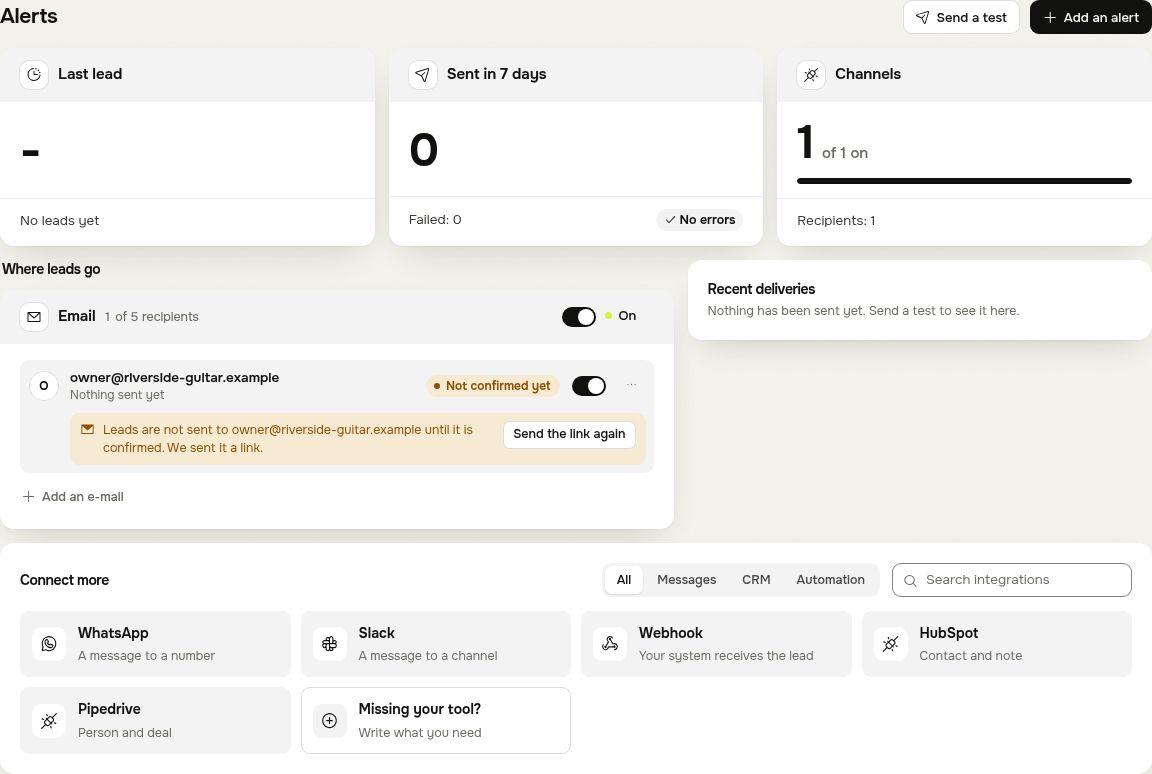
Open the Alerts tab. Under Where leads go you see every place leads are sent, each with its recipients and an on and off switch. Add an alert adds another.
| Where | Plans |
|---|---|
| Telegram | Every account, from the first day |
| Every plan and the free trial (before a trial: your own account address only) | |
| WhatsApp, Slack, Webhook, HubSpot, Pipedrive | Pro and Agency |
Each kind can have up to 5 recipients, for example five e-mail addresses.
Telegram
Telegram is the fastest way: the lead arrives as a message on your phone.
- Press Connect Telegram (in the setup steps on Overview, or on the Telegram card in Alerts). On a phone it opens Telegram; on a computer it shows a QR code to scan with your phone.
- Tap Start in Telegram. Beacel answers there that you are connected.
- To send leads to someone else too, press Add recipient on the Telegram card: it shows a link and a QR code for that person. Each link works for one person.
Add an address with Add an e-mail. Any address other than your account's own gets a confirmation link first: leads go there only after the link is opened, so nobody gets leads by a typo. Until then the address shows as not confirmed, with a button to send the link again.
What a lead alert looks like
The same lead in every channel (Telegram shows the labels in bold):
New lead from yourbusiness.com

Name: Maria K.
Contact: +370 600 00000
What they want: Trial lesson
Details: Our son is 7. Can he start in September?
Language: English

Open the conversation: https://beacel.com/dashboard#conversations
Press Send a test at the top of the tab to send yourself a test lead and see it arrive.
When an alert does not arrive
The tab counts the alerts sent in the last 7 days and how many failed, and lists the recent deliveries. Check that the switch of the channel and of the recipient is on, that an e-mail address is confirmed, and look in your spam folder. A developer who wants leads in their own system can use the webhook.
Questions
Write to hello@beacel.com.