Getting started
From your website address to a chat assistant that answers your visitors and sends you their details: five steps, most of them a click.
1. Paste your website address
After you sign up, Beacel asks for one thing: your website's address. Type it as you would in a browser, for example yourbusiness.com, and press Read my site.
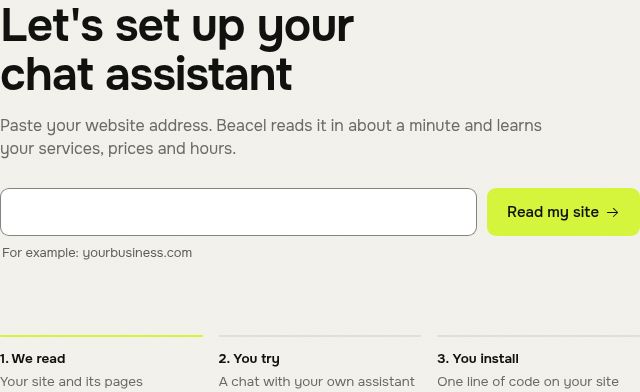
If Beacel finds the site but cannot read it, it says why and offers Try again and Write to us. The first read of a new site costs nothing, so you can simply try again.
2. Check what Beacel learned
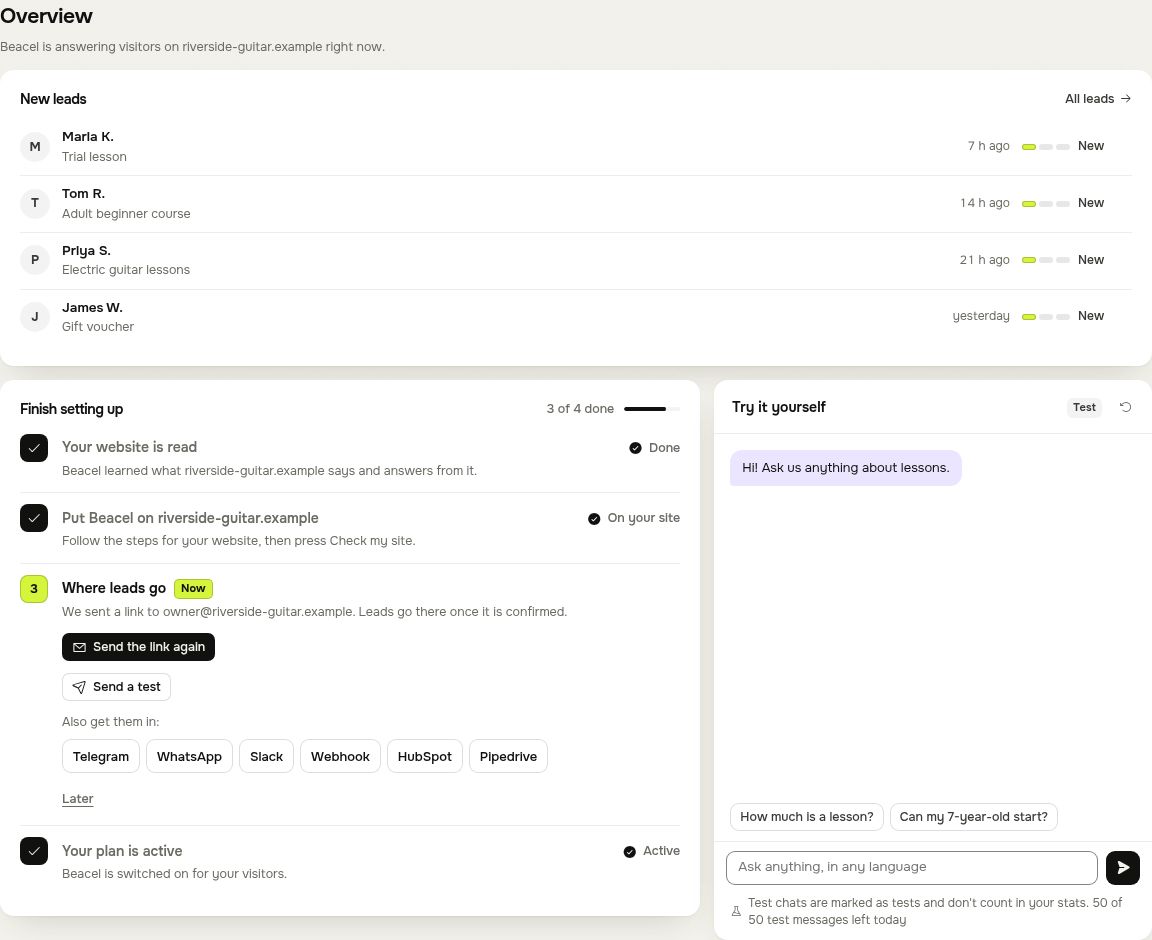
When the read is done you land on Overview. Everything the assistant knows about your business (services, prices, opening hours, contacts) is in the Knowledge base tab, where you can add answers of your own. See Teach the assistant.
3. Try it yourself
The Try it yourself chat on Overview is your own assistant. Ask it what your customers ask: prices, opening hours, "can my 7-year-old start?". Ask it in any language; it answers in the language of the question. Test messages are marked as tests and do not count in your statistics.
You can send 50 test messages a day on a plan or a free trial, 20 on a free account.
4. Put it on your website
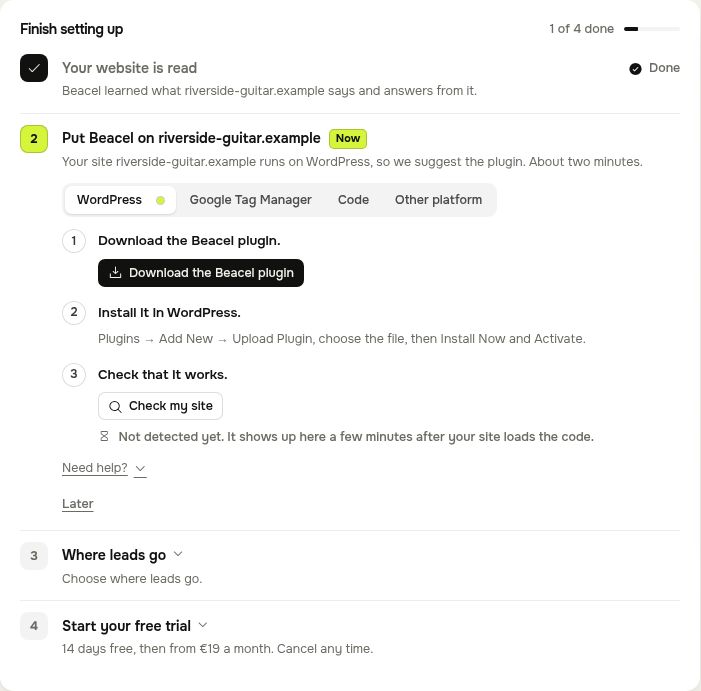
The setup steps on Overview show the way that fits your site: Beacel recognises WordPress, Wix, Squarespace, Webflow, Shopify and Hostinger sites, and offers Google Tag Manager or the code itself for anything else. When the code is on your site, press Check my site. It can take a few minutes after your site first loads the code. Step-by-step help for each website builder: Put it on your site.
5. Choose where leads go
When a visitor leaves their name and phone or e-mail, Beacel sends the lead to you at once: by e-mail, Telegram or another tool. Set it up in the step Where leads go or later in the Alerts tab. See Lead alerts.
Questions
Write to hello@beacel.com.